Renewal Guide
Watch the video demo to learn how to renew CA-signed certificate.
Authorised CA-Signed
Before you continue, check that your certificate's Issuer field shows one of the approved Certification Authorities listed in the overview.
1
Step 1: After click "Renew Certificate", You will see the CA landing page. understand the instruction and click "Next".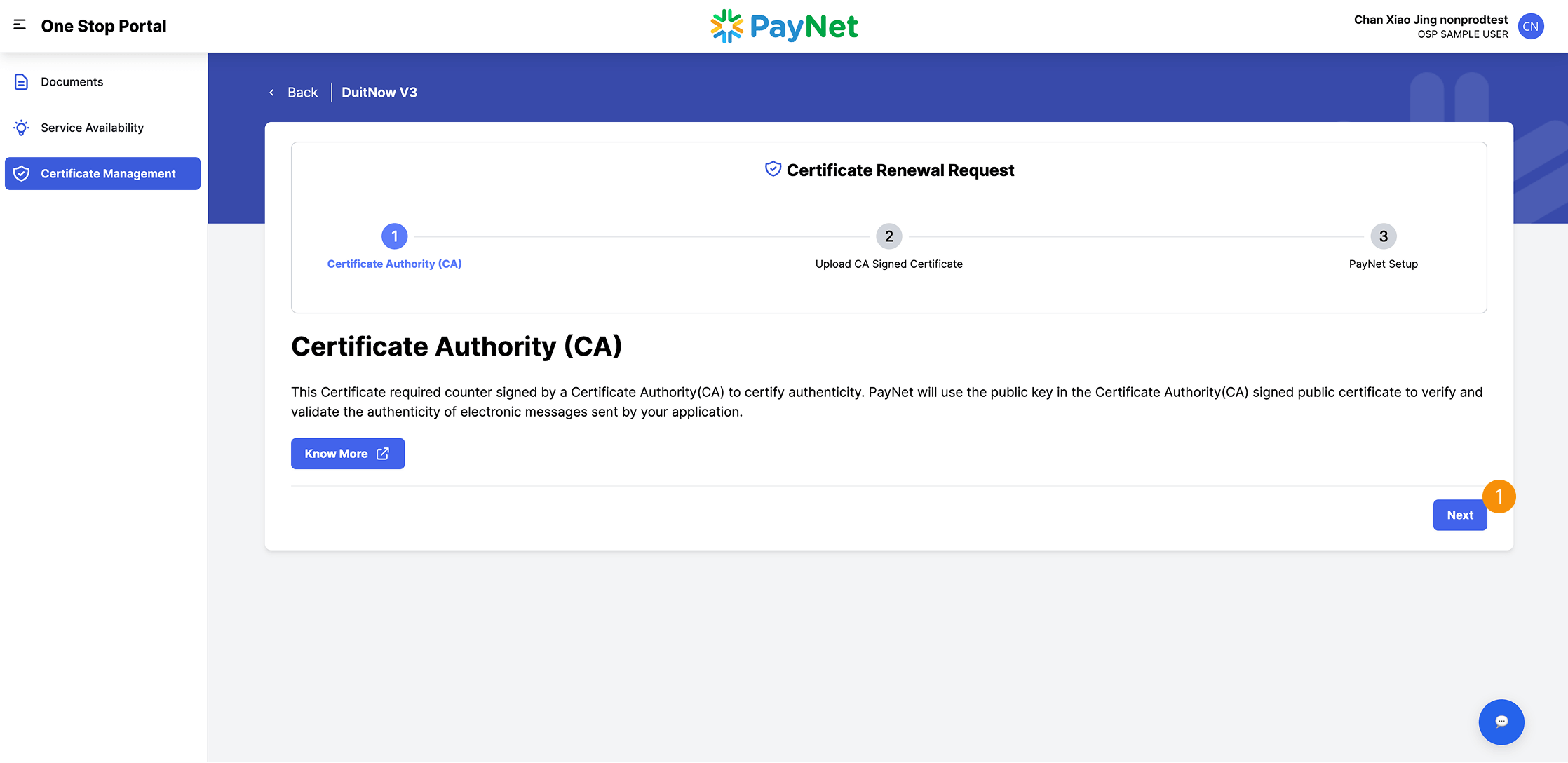
2
Step 2: Upload your Certificate.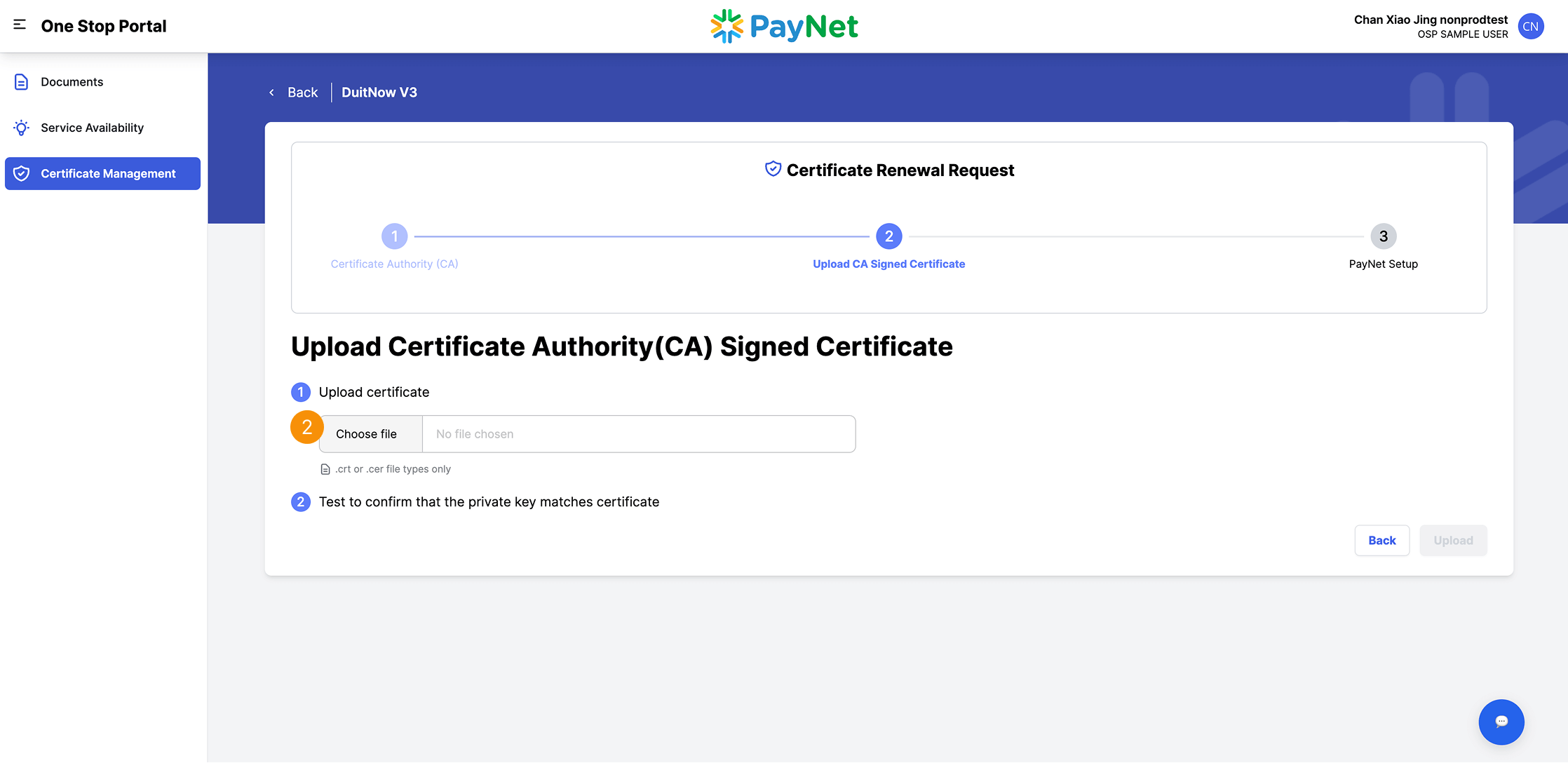
Test Private Key
This is an optional step. PayNet recommends performing a renewal to ensure that your certificate and private key match. Use this tool to verify the private key before storing it in the system.
Follow this guide to test your private key.
1
Step 1: Choose an option to test the certificate with your private key.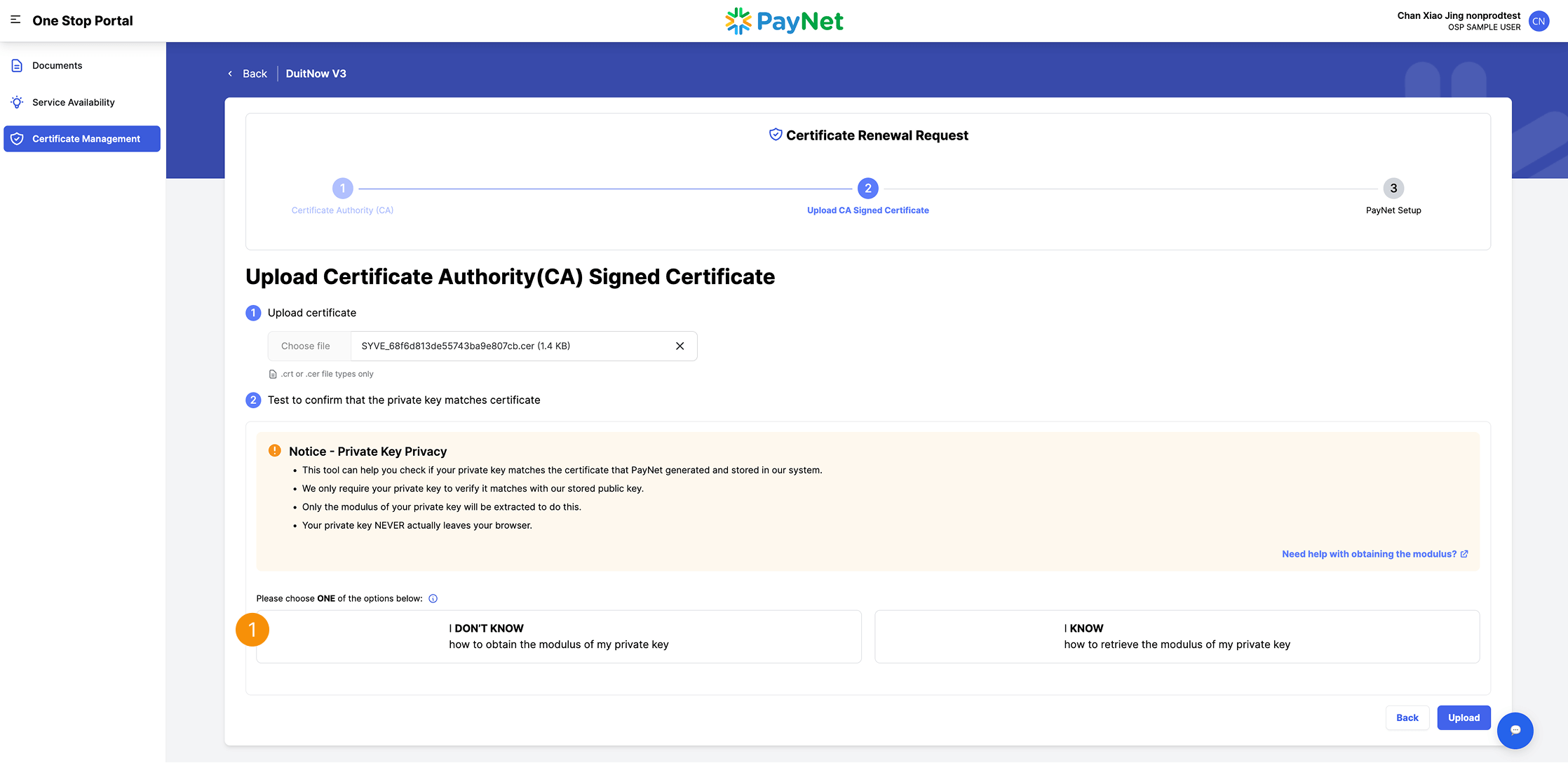
Option 1:
I don't know how to obtain the modulus of my private key
1
Step 1: Select the option A or BA
Option A: Upload your private keyB
Option B: Paste the private key file details2
Step 2: Click "Run Test"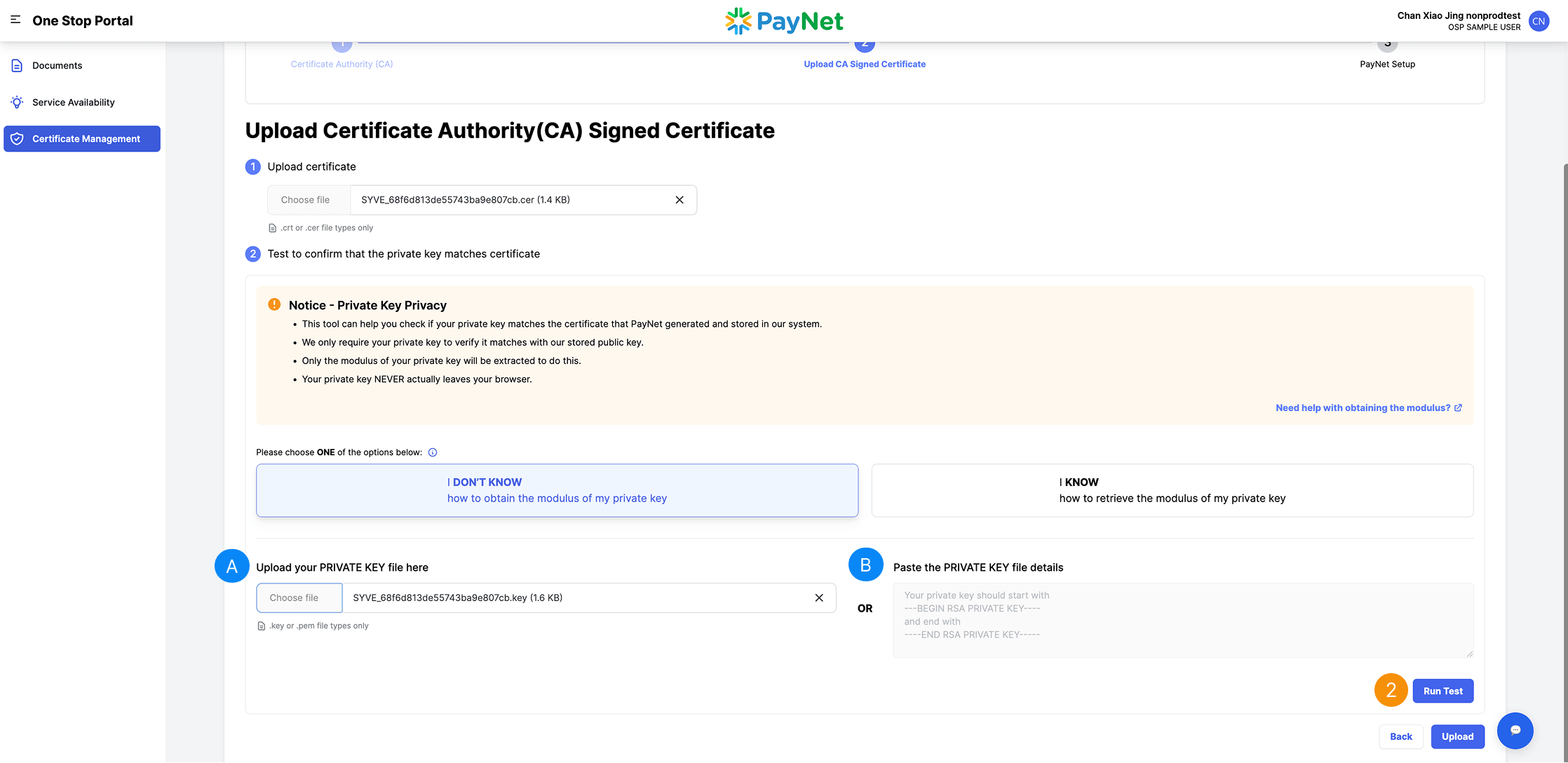
Option 2:
I know how to retrieve the modulus of my private key
1
Step 1: Paste the modulus of your private key2
Step 2: Click "Run Test"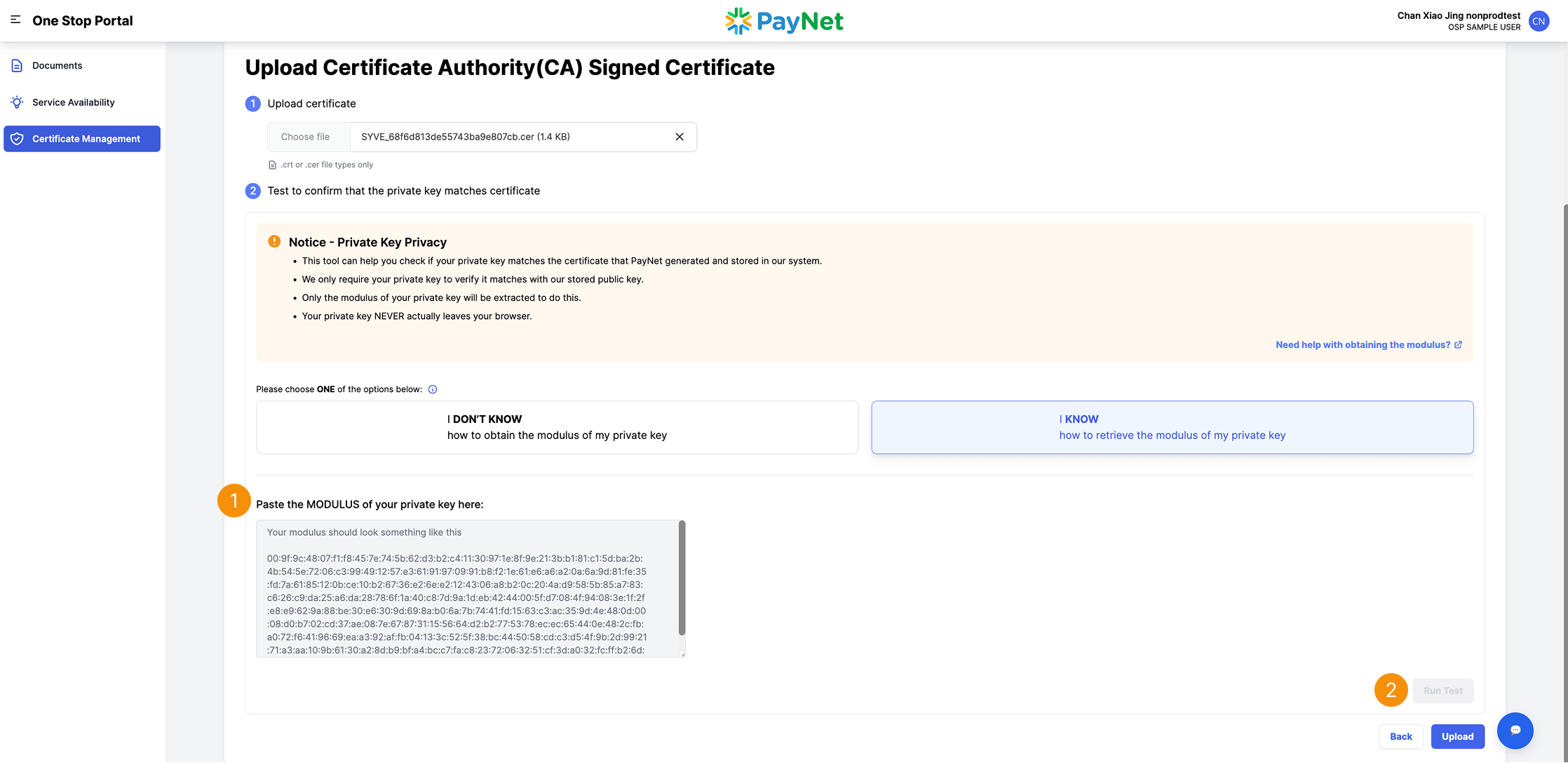
Test Private Key Result
A
Private key matched1
Click "Upload"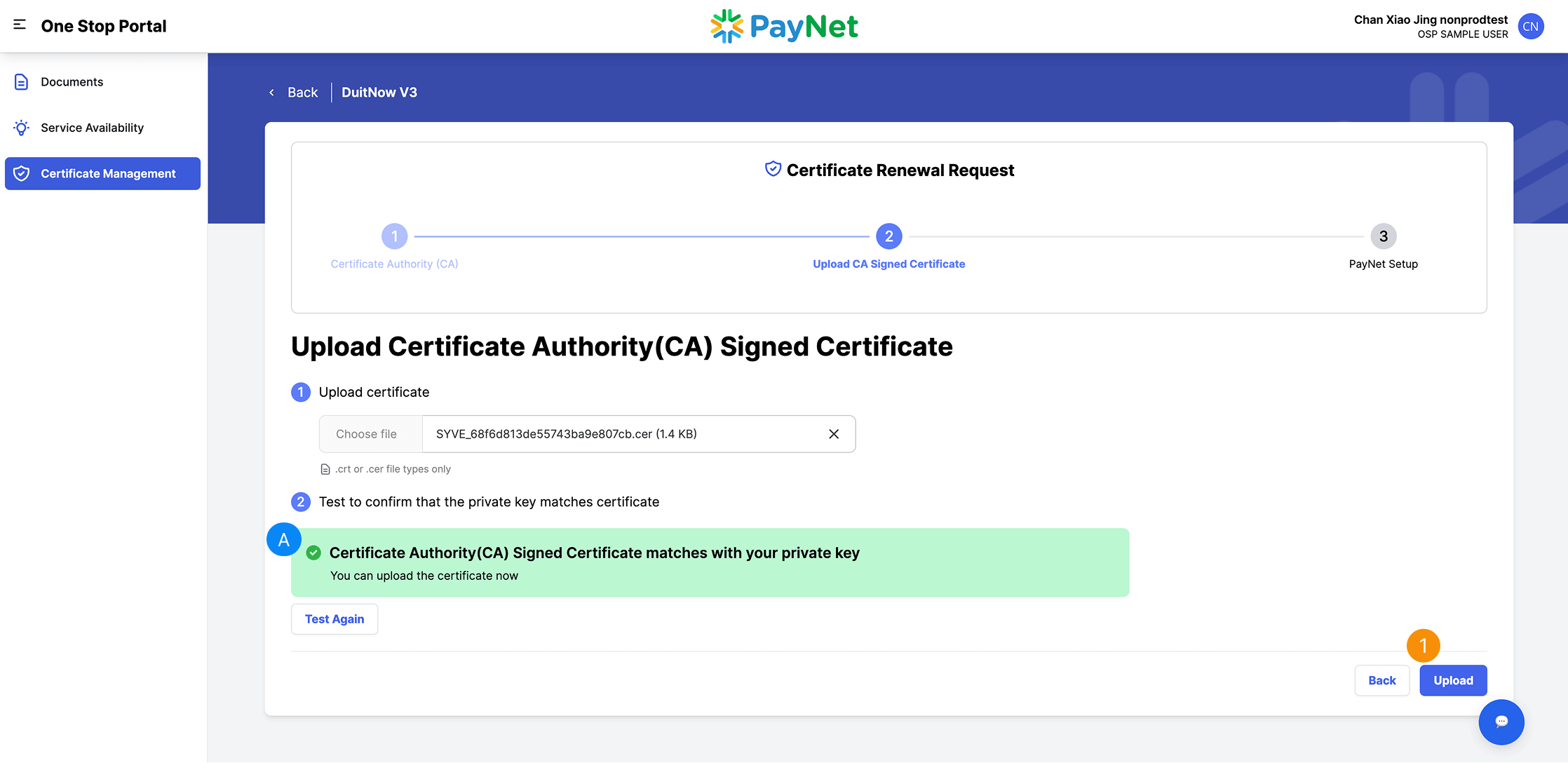
A
Private key not matched1
Click "Test Again"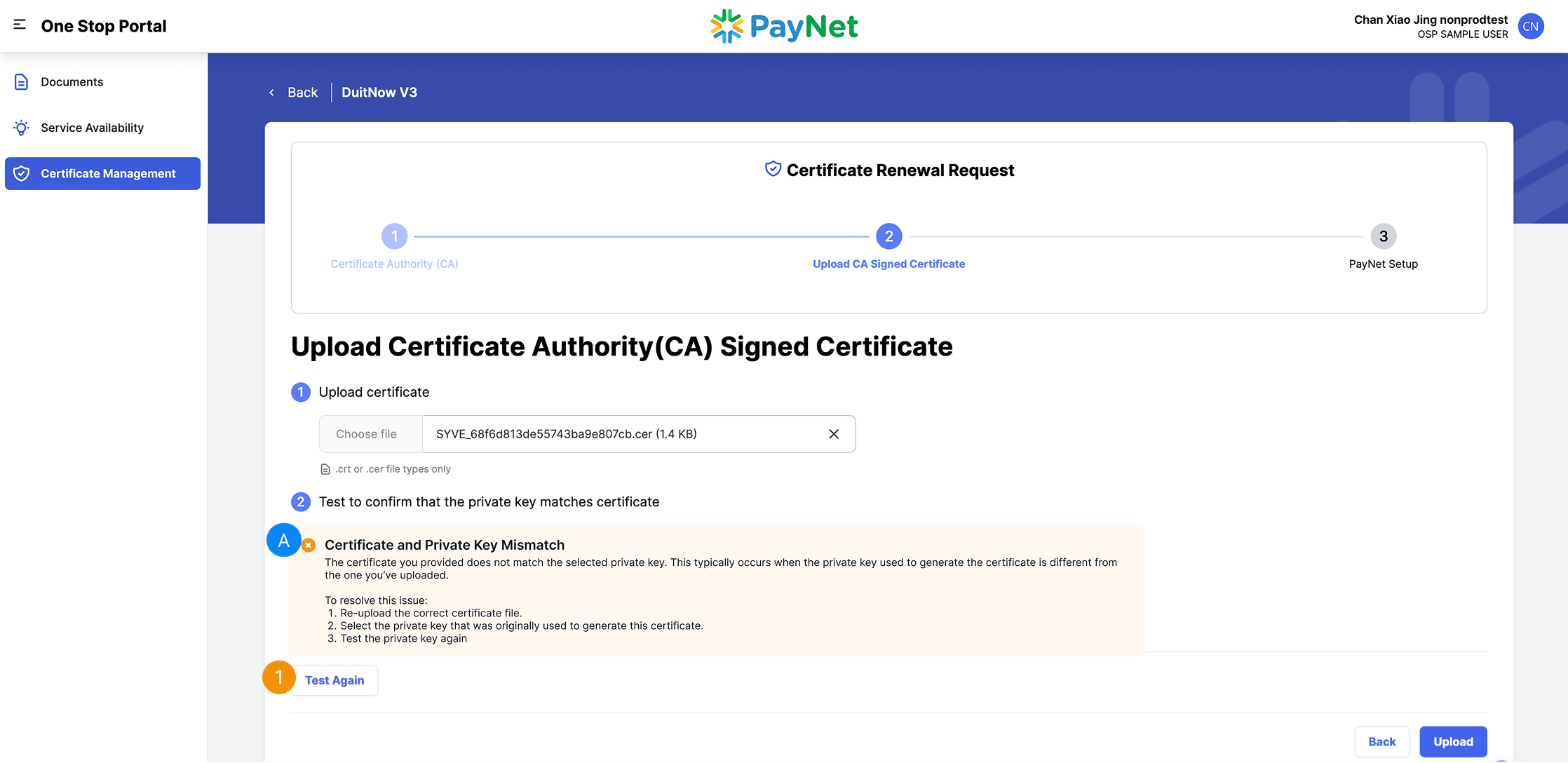
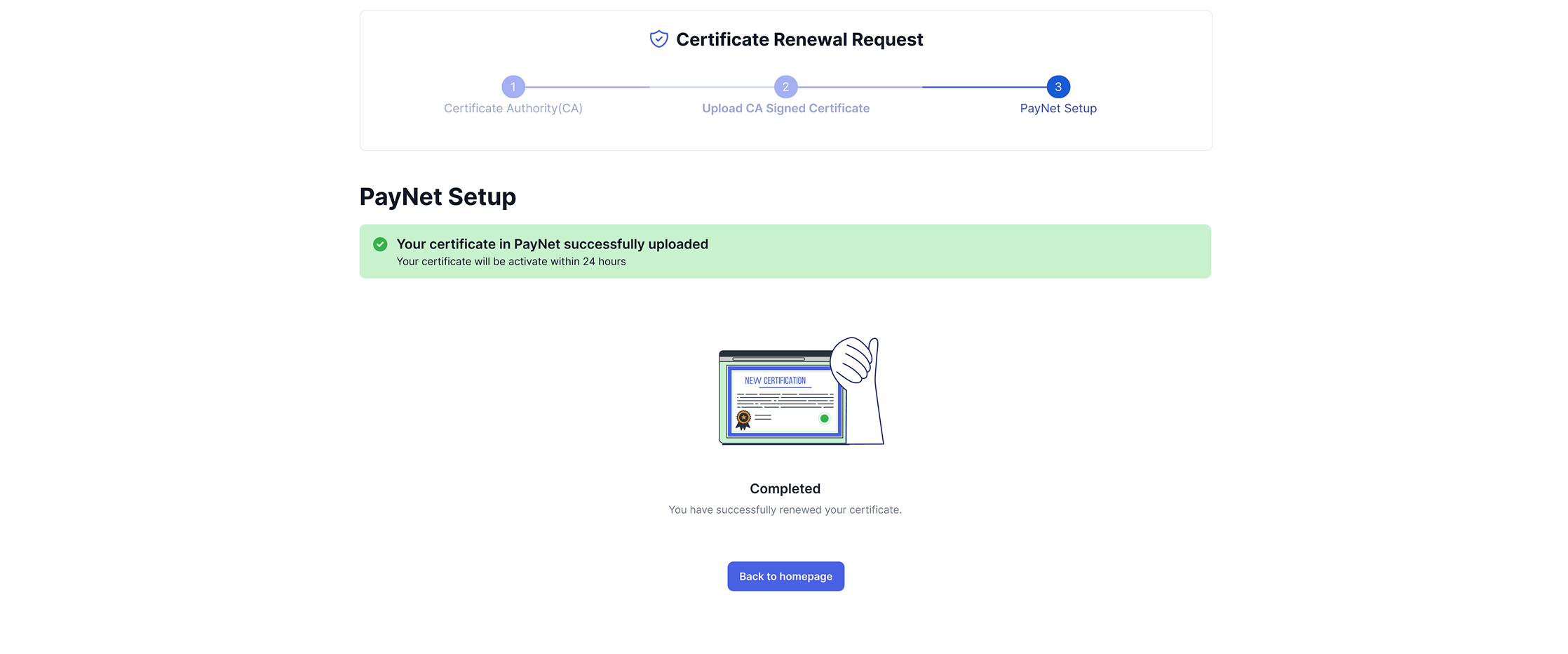
Upload Successful
Certificate successful uploaded, You certificate will be activate within 24 hours