User Journey
DuitNow Pay simplifies online checkout and enables repeat and recurring payments directly from bank accounts.
It is designed to support fast, secure and seamless payment experiences – helping merchants deliver smoother checkout journeys, while enabling consumers to make payments more conveniently online.
DuitNow Pay supports account-based payments through participating banks and eWallets, with both one-time and saved payment options.
- One-time payments: Real-time payments directly from customers' bank or eWallet accounts through DuitNow Online Banking / Wallets)
- Saved payments: Faster repeat and recurring payments with customer consent for future transactions through DuitNow Consent & AutoDebit).
- Experience Journey
- Figma
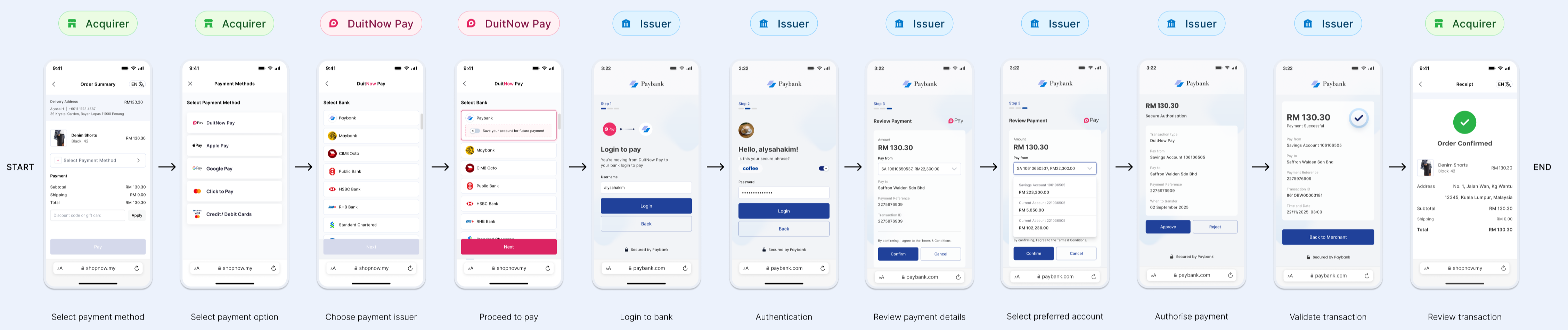
One-Time Payment
During checkout, customers can select their preferred bank and authorize a one-time payment. The streamlined payment flow is designed to provide a fast, secure, and convenient checkout experience.
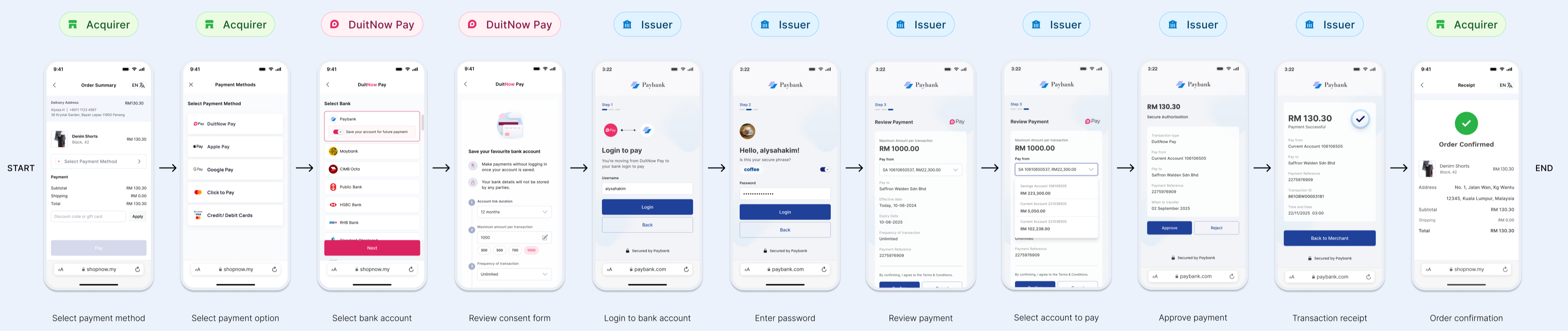
Save then Pay (Saved Payment)
During checkout, customers may save their payment method to support a faster and more seamless checkout experience. For future transactions, the acquirer can display the saved account as a payment option, allowing customers to complete their payment more conveniently.
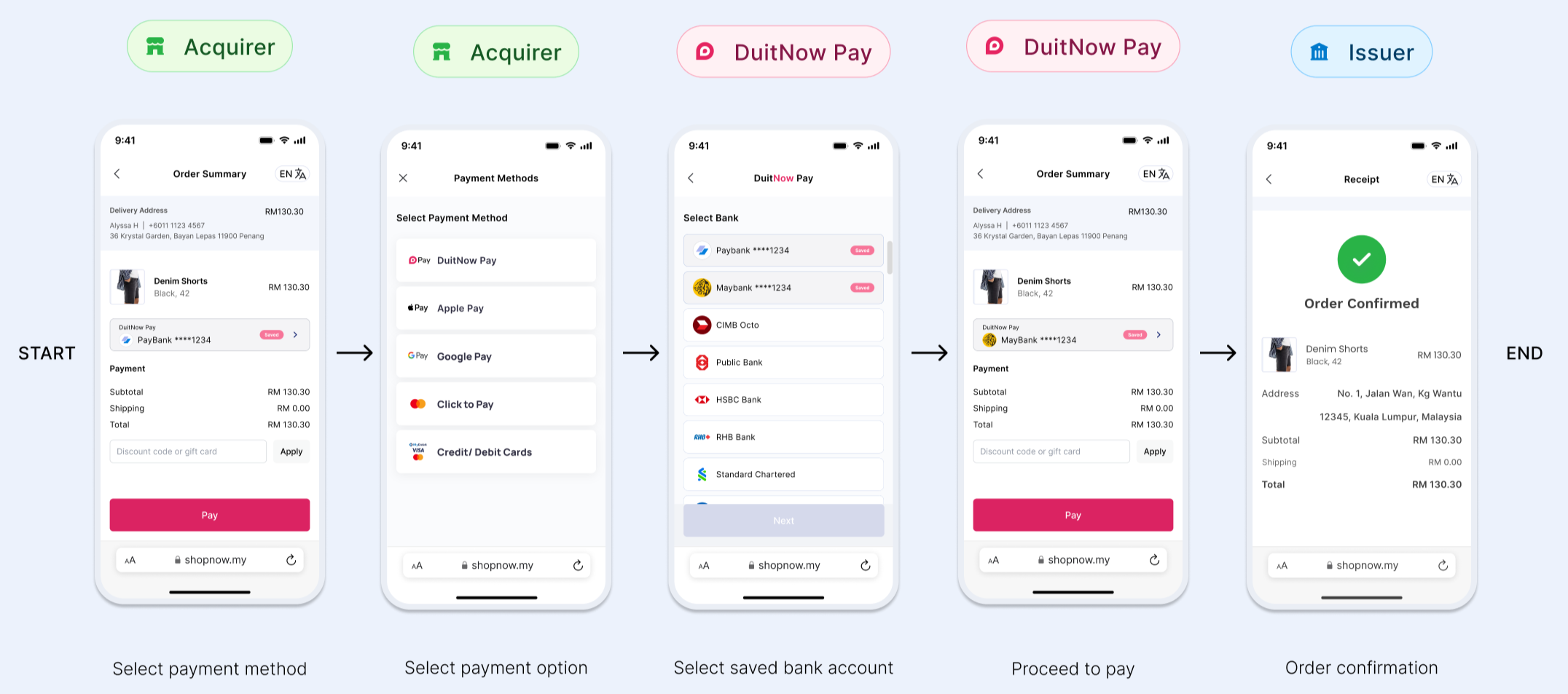
Returning User
Once a payment method has been saved, customers can select it during checkout and complete their payment seamlessly without repeating the account linking or authorization process.
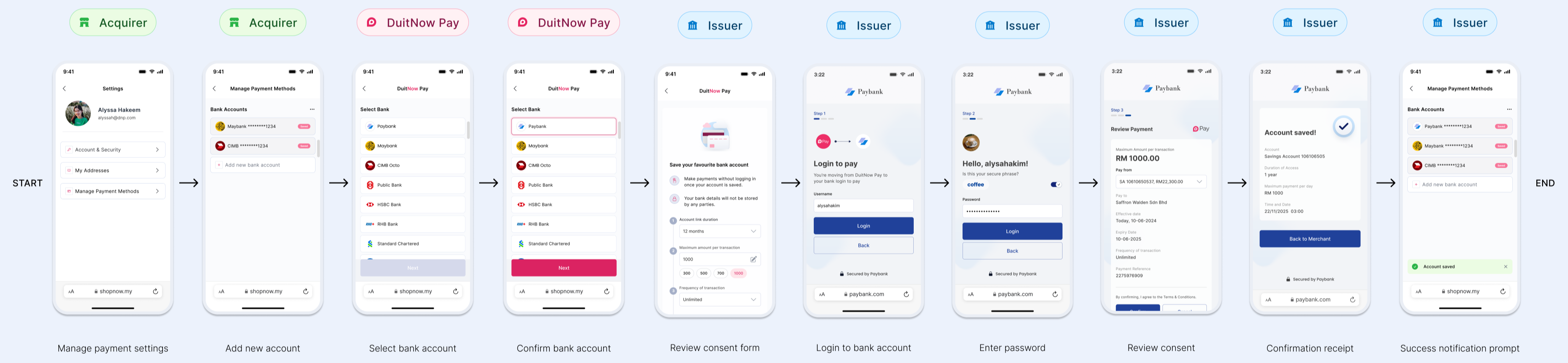
Add Account
Customers can add and save a payment method through the account management page, enabling a 1-click checkout experience for future purchases.
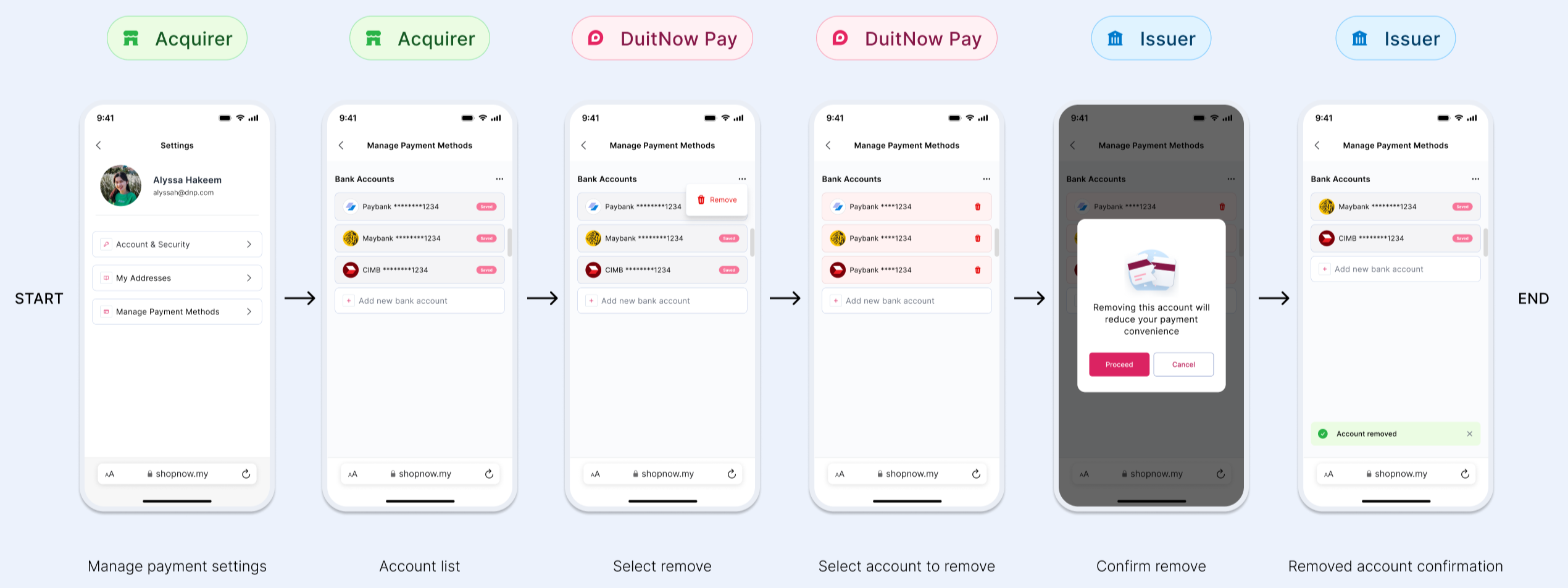
Remove Account
Customers can remove a saved payment method at any time through the account management page if they no longer wish to use it for future payments.