Request Support
Anytime during you self-certification, if you are hit into an issue, we have provided an easy way to request support to our side.
Watch the video demo to learn how to request support
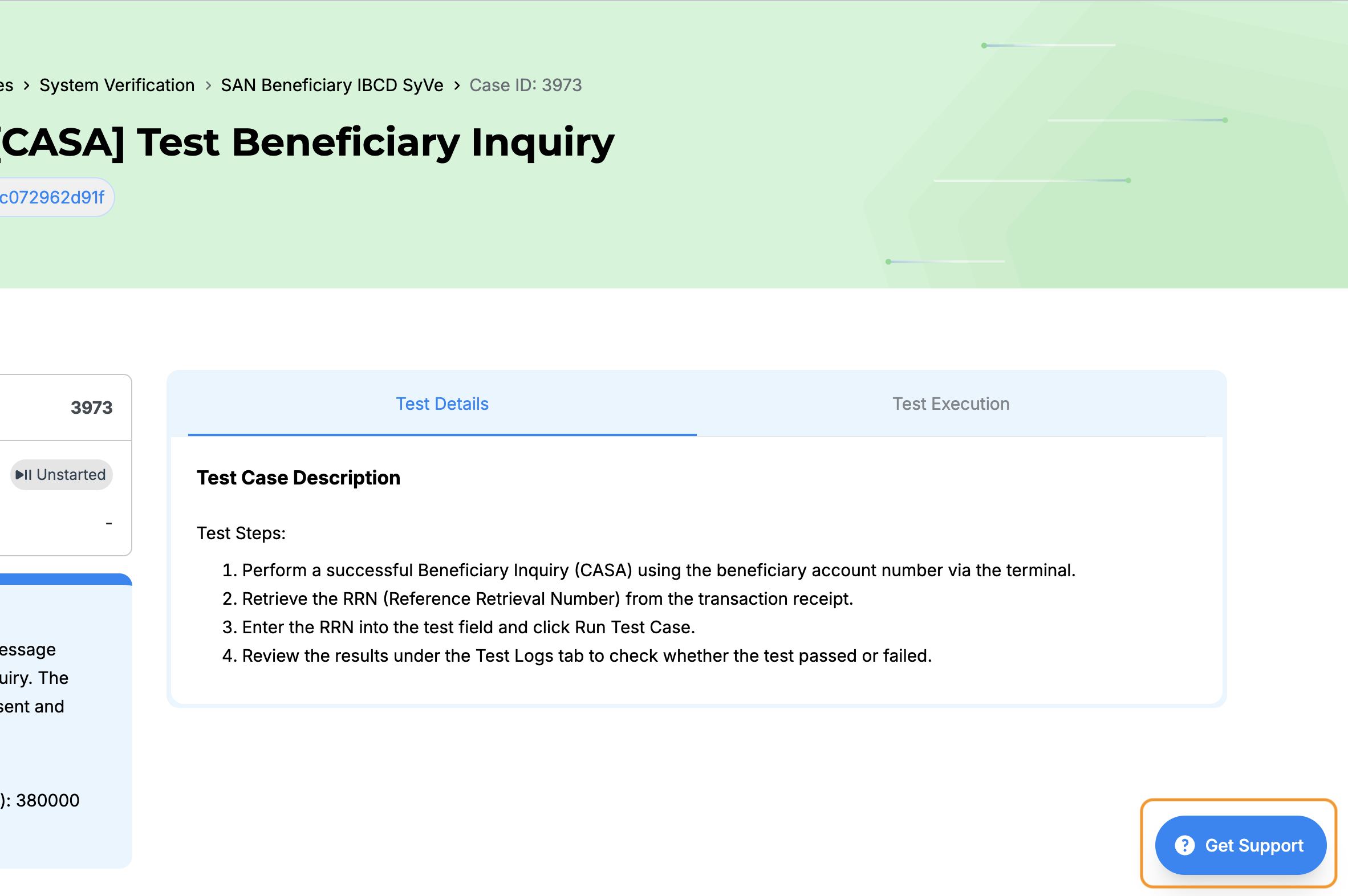
Step 1: Click Support button
Throughout Developer Portal, there will be Support button located at the bottom right of the page.
Step 2: Fill-up the support form
Clicking this button will redirect to the Zendesk support form. Depending on where you click the Support button in the Developer Portal, it will automatically filled up the form with relevant information like Project ID, test suites ID and test case ID.
Add more details to make supporting on our side faster.
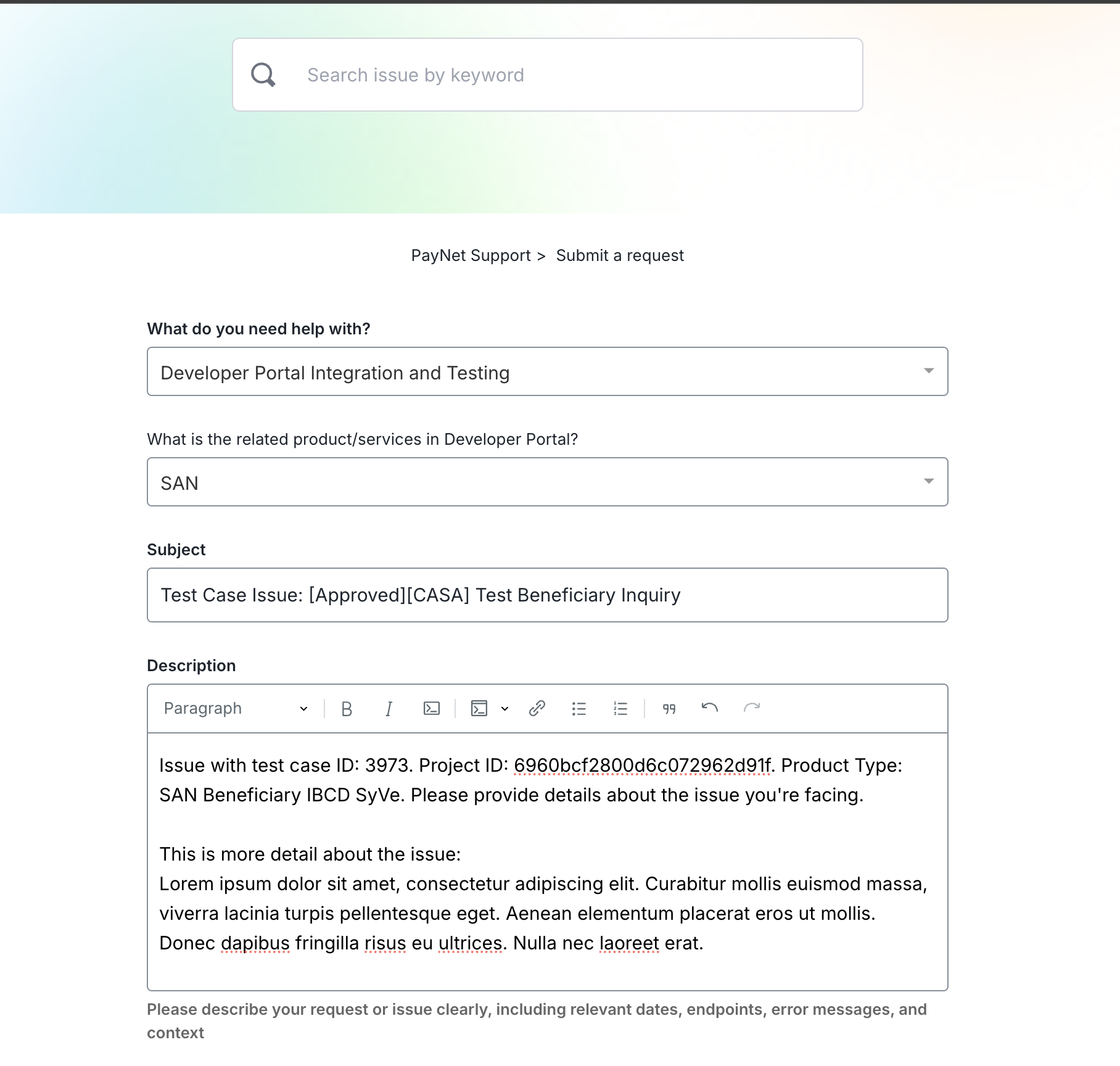
Ensure that the form is pre-filled correctly as following
- What do you need help with?:
Developer Portal Integration and Testing
- What is the related product/services in Developer Portal?
SAN
This will ensure the ticket will reach directyly to the DevPortal SAN Support team.
Step 3: Click Submit Request
Once you have completed the Support form, click "Submit Request".
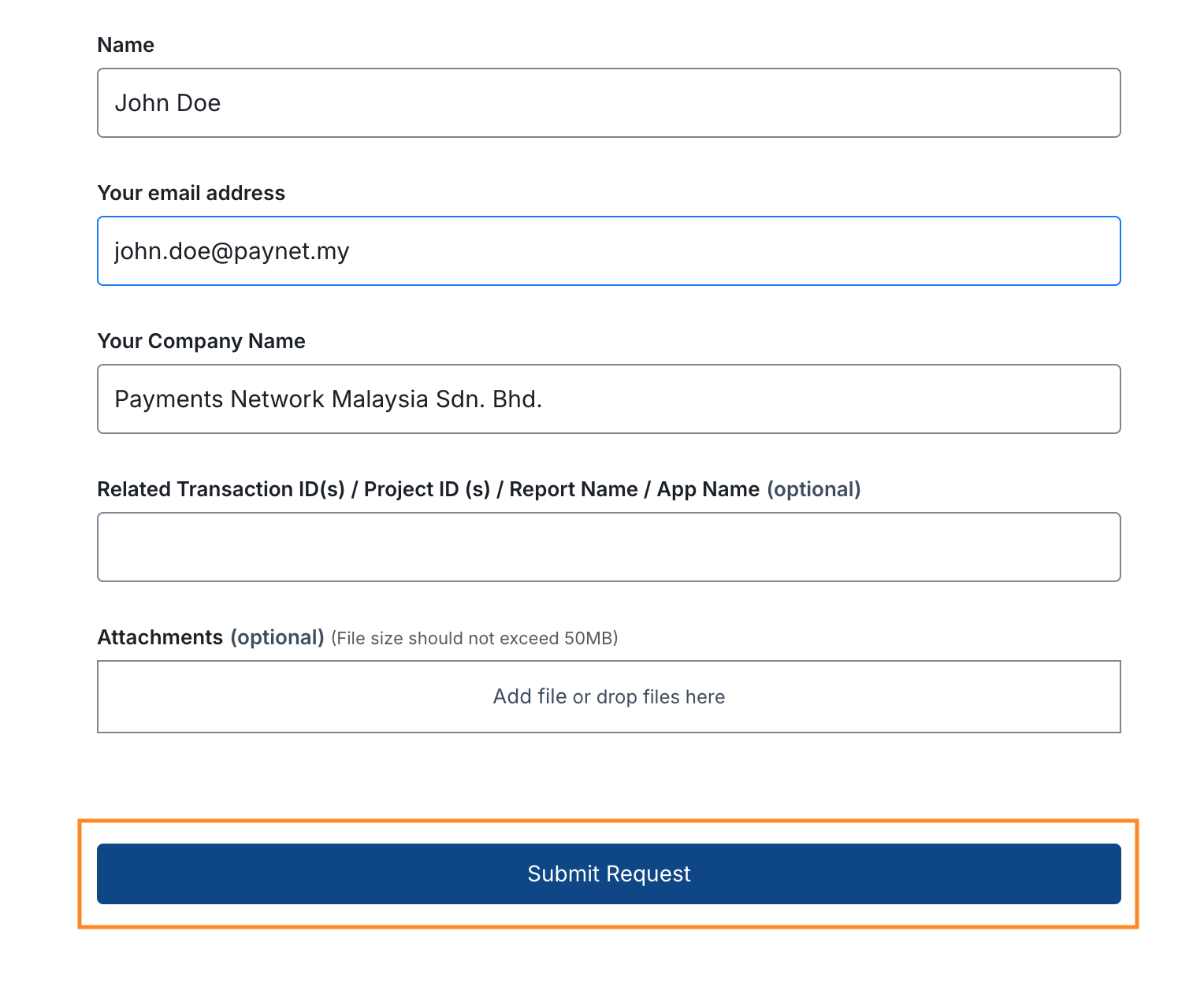
We will get back to you regarding the issue through email.
Support prioritisation
While we try our best to support everyone, due to high volume of participants, support are prioritised for active batch