System Verification
Overview
System Verification is the end-to-end testing stage in the SAN self-certification journey. In this stage, participants validate that their systems are correctly integrated with SAN NextSwitch and are able to process transactions in accordance with functional, messaging, and operational requirements.
Testing in this stage simulates real transaction flows, covering interactions between the initiating institution, SAN NextSwitch, and the receiving institution. This ensures that message handling, business rules, and transaction lifecycles are implemented correctly before progressing to settlement testing and production readiness.
To streamline onboarding and reduce dependencies during non-production testing, PayNet provides a dedicated PayNet Non-Production Bank, which acts as the partner bank throughout System Verification.
PayNet Non-Production Bank
PayNet has introduced a PayNet Non-Production Bank in the SAN non-production environment (commonly referred to as UAT) to support bank onboarding and testing.
Previously, onboarding banks were required to coordinate with external partner banks for non-production testing. This approach created dependencies on partner bank availability, asset readiness, and third-party coordination, often resulting in delays.
With the introduction of the PayNet Non-Production Bank, onboarding banks can now perform all required testing using a PayNet-managed test bank, eliminating the need to source or depend on external partner banks.
The PayNet Non-Production Bank is a logical bank within the switch. It does not expose external endpoints and is available 24/7, with pre-configured test assets aligned to Developer Portal self-test scenarios.
Key Changes
| Area | Previous Approach | Current Approach (PayNet Non-Production Bank) |
|---|---|---|
| Partner bank for testing | Onboarding bank must identify and coordinate with a partner bank | PayNet provides a ready-to-use test bank |
| Coordination for testing & asset distribution | Multiple parties involved (partner banks, PayNet test team), causing delays and complexity | Single coordination point through PayNet with prioritized onboarding support |
| Asset availability & complexity | Terminals, cards, and test assets depend on partner bank readiness | PayNet centrally manages all test assets, ensuring a standardized testing experience |
| Test readiness | Dependent on partner bank feature availability | PayNet test bank is always online with all non-production features enabled |
| Issue resolution | Troubleshooting involves multiple external parties and vendors, slowing resolution | Fully managed within PayNet, enabling faster and simpler issue resolution |
Bank Profiles to add to the Ecosystem
To enable end-to-end transaction testing during System Verification, participants must configure the required PayNet Non-Production Bank profiles in their UAT or test environment.
These configurations allow transactions to be routed correctly between your system and PayNet-managed test banks during self-test certification.
ATM Acquirers must configure the Beneficiary ID and Issuer BIN range in their UAT/test environment to enable transactions to and from PayNet issuer and beneficiary banks.
This configuration is mandatory to ensure your ATMs are fully prepared for self-test certification using PayNet Non-Production Banks as testing partners.
PayNet Bank 1 (PYNI)
- Partner Role: ATM Acquirer, Issuer & Beneficiary
- FIID: PYNI
- Issuer BIN Range: 900008
- Beneficiary ID: 999008
- Bank Code: 998
PayNet Bank 2 (PYNJ)
- Partner Role:Issuer & Beneficiary
- FIID: PYNJ
- Issuer BIN Range: 900009
- Beneficiary ID: 999009
- Bank Code: 999
Test Execution
Learn how to execute System Verification test cases through the Developer Portal by watching the step-by-step video demonstration.
Test Suite
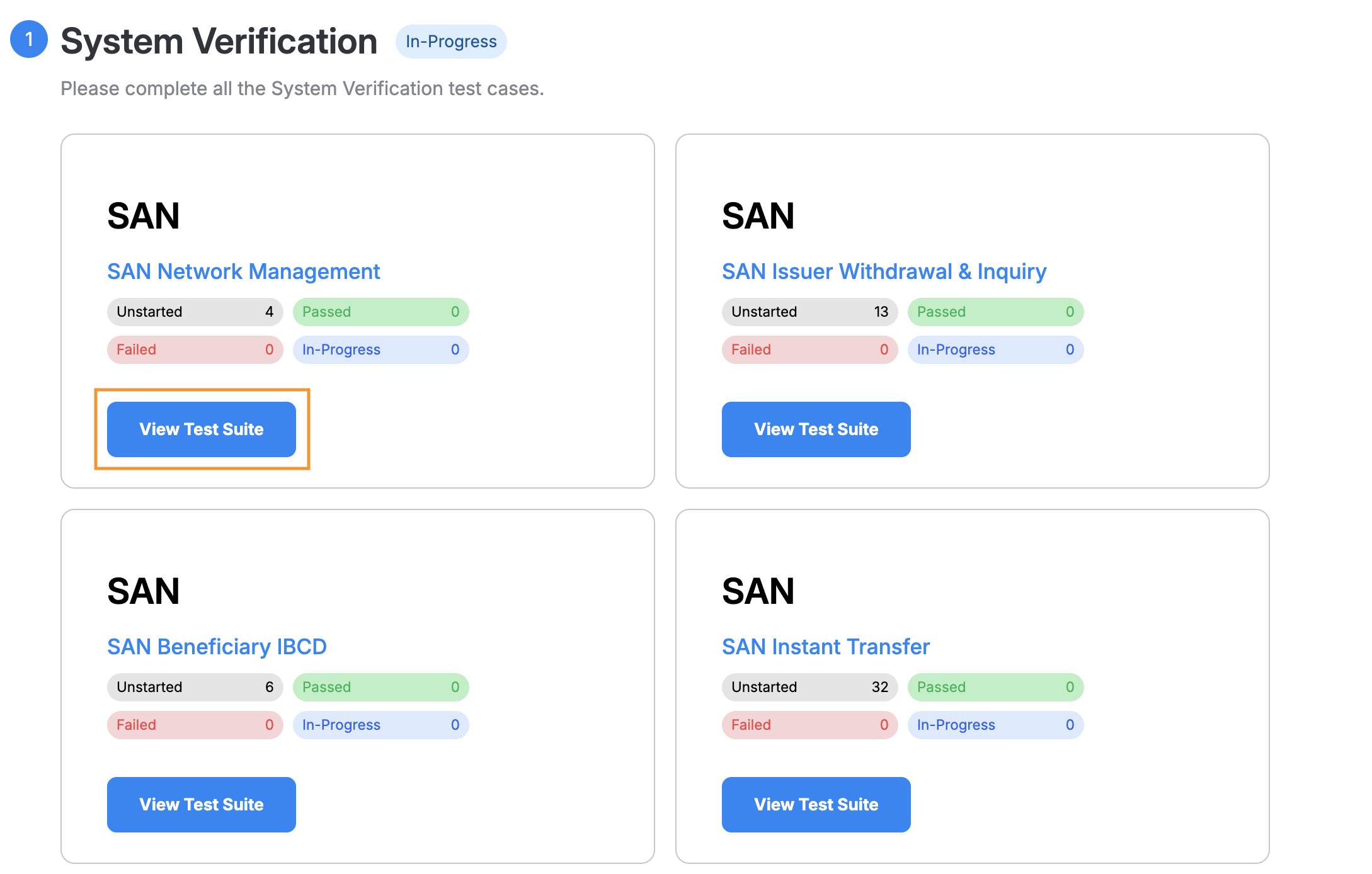
A test suite organizes all test cases for a specific feature. Click View Test Suite to see the test details.
Test Suite Management
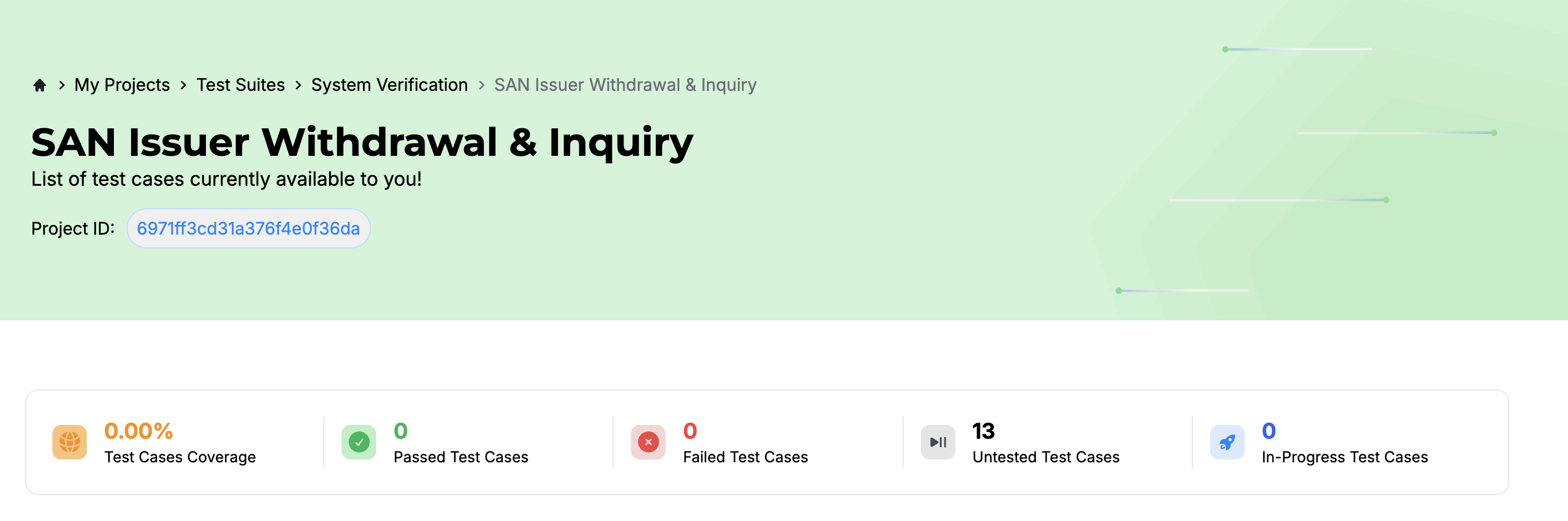
A test suite lets you manage and monitor testing progress, configure test data, and set up connectivity before starting the testing process.
You can view the test suite name and project ID at the top.
Test Suite Configuration
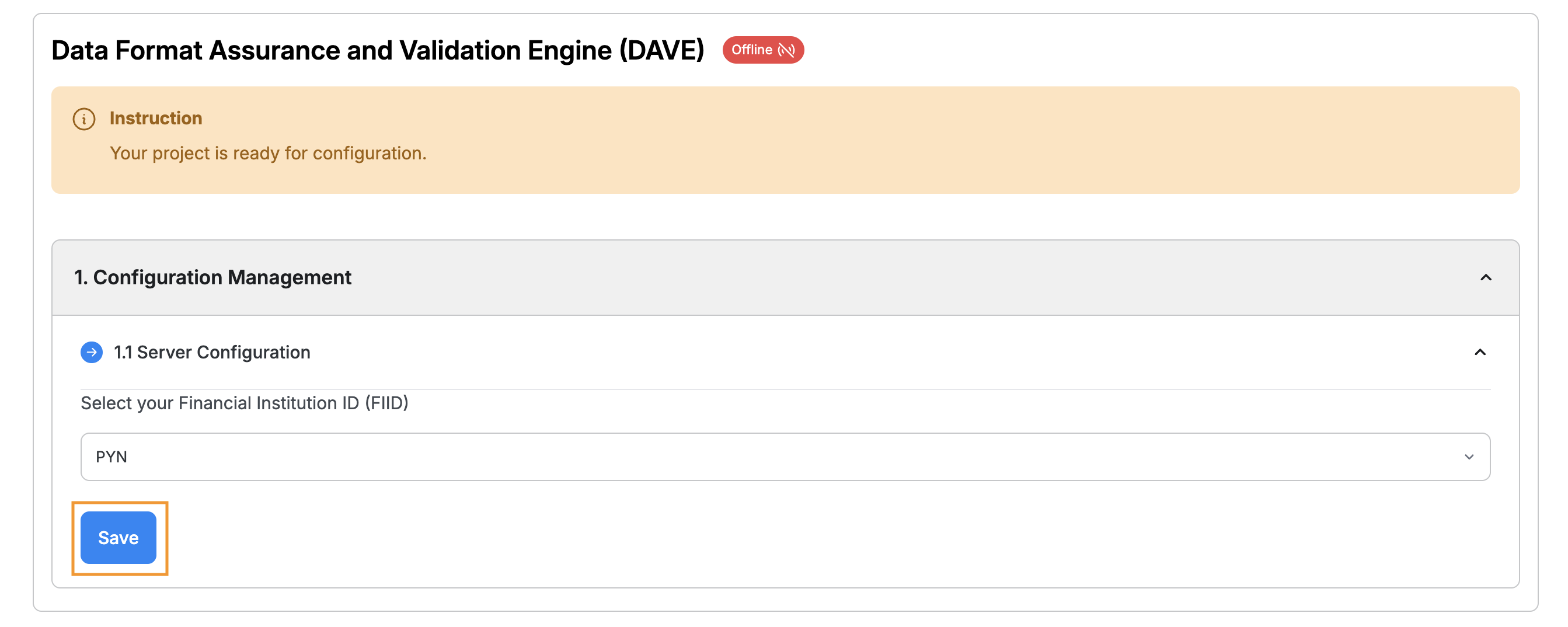
Before starting the test, you are required to do test suite configuration. The DAVE status will be offline before you do the setup.
Choose the FIID that you want to use for the test suite and click Save.
Once you've completed the setup, the status will show  indicating that simulator (DAVE) is activated and you are ready to execute your test cases.
Test Cases Type
The test suite contains five types of test cases.
- Pre-requisite: This test case must be passed before proceeding to other types of tests.
- Mandatory: This test case is mandatory to pass.
- Optional: This test case is optional to pass.
- PayNet-Assisted: This is a joint-test-scenario. Please reach out to the PayNet Support to execute it.
- Supplementary: This test case is non-mandatory but recommended for participants to verify their host’s handling of the tested scenario.

Test Cases Navigation
Learn how to navigate between the Test Cases.
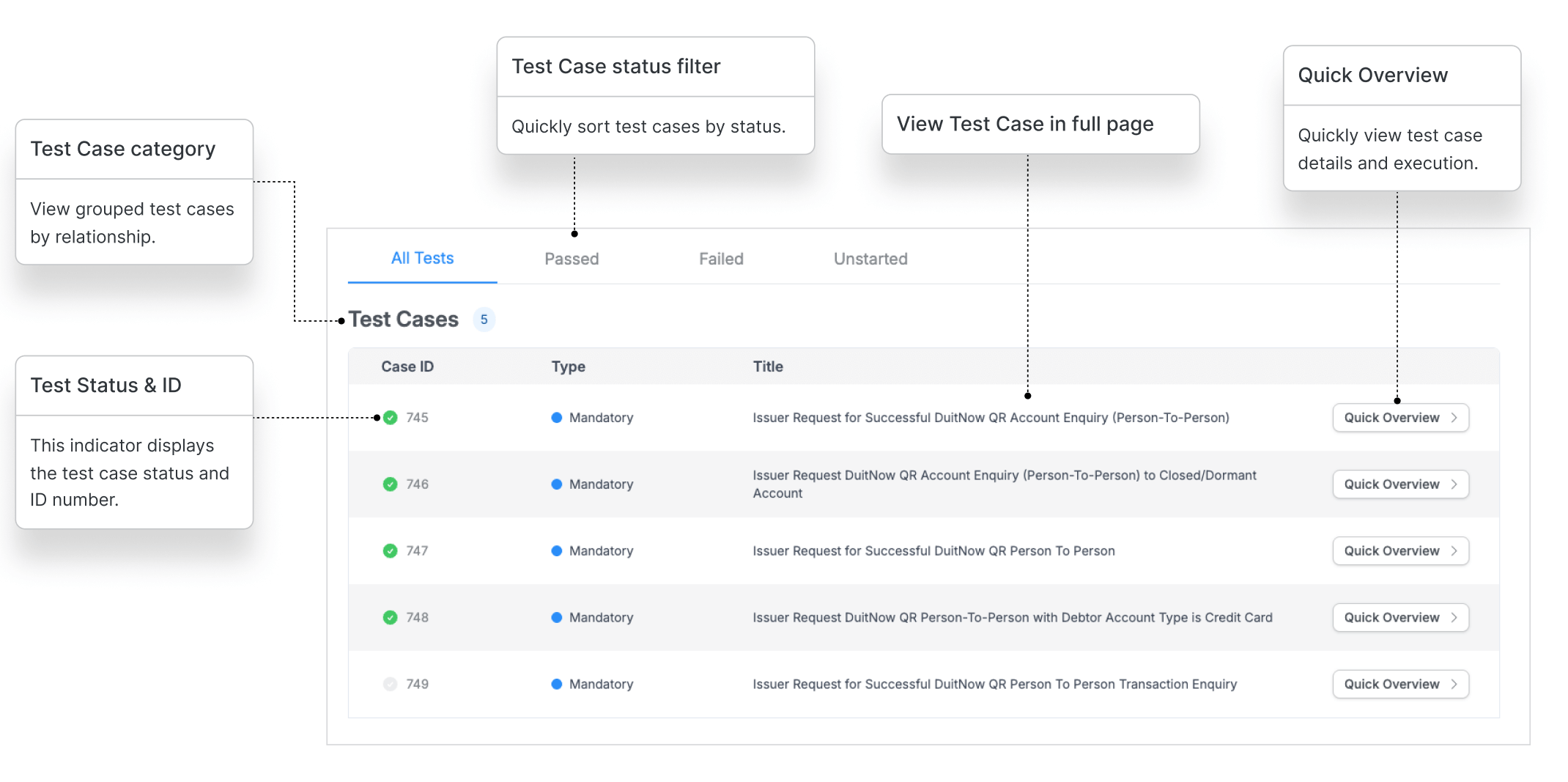
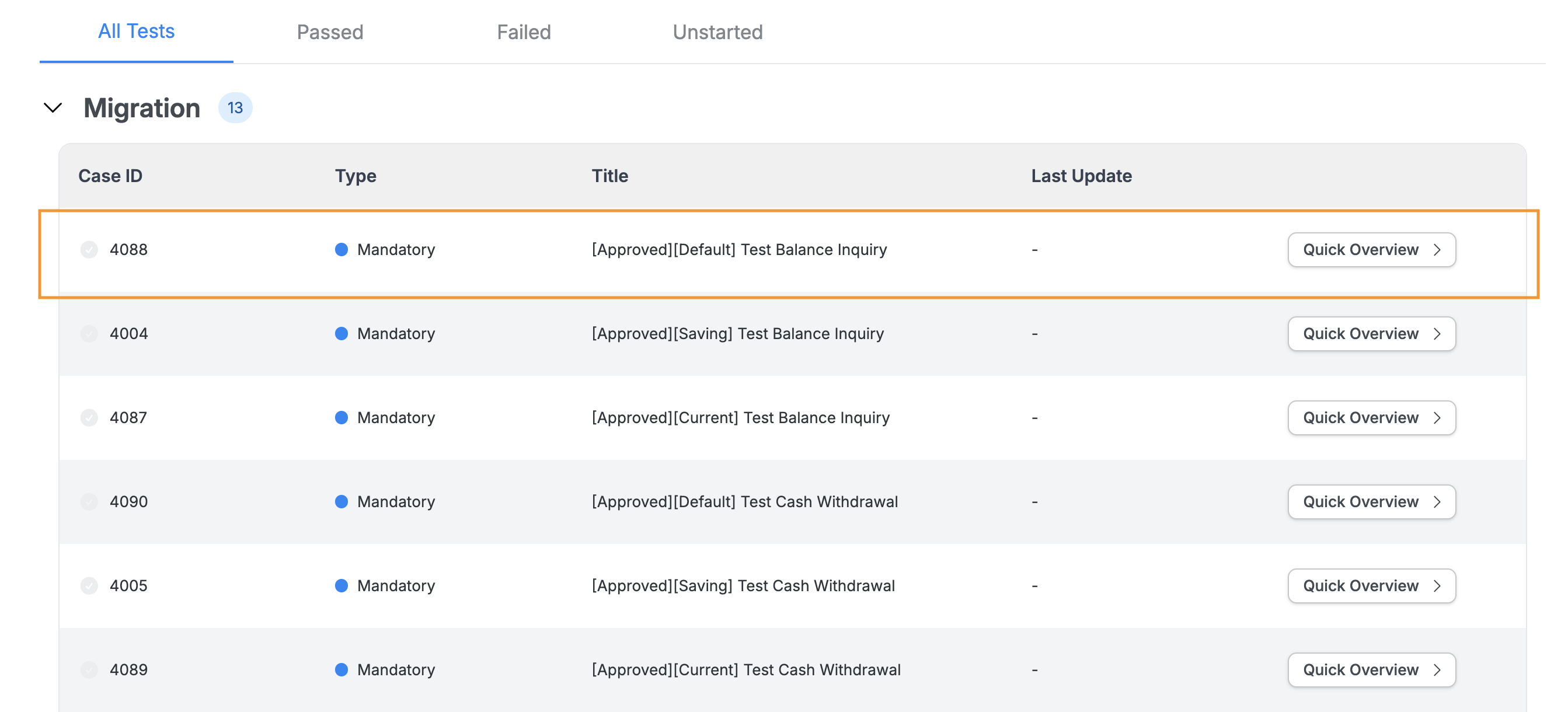
Test Cases
Access test case details by clicking the test case row from the list.
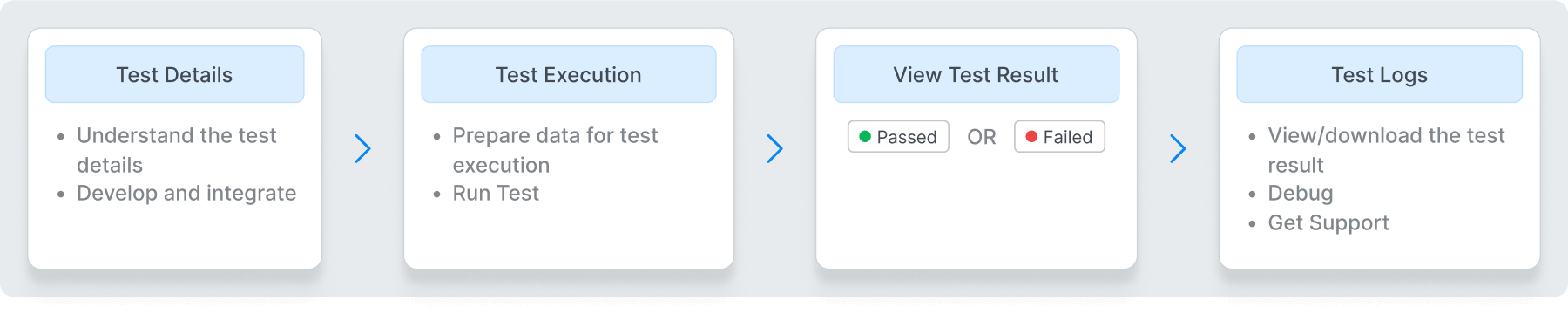
Test Validation Overview
This section outlines the test and validation process for your reference, helping you gain a clearer understanding.
Test Details
Review test case details and review the expected results to better understand the testing process.
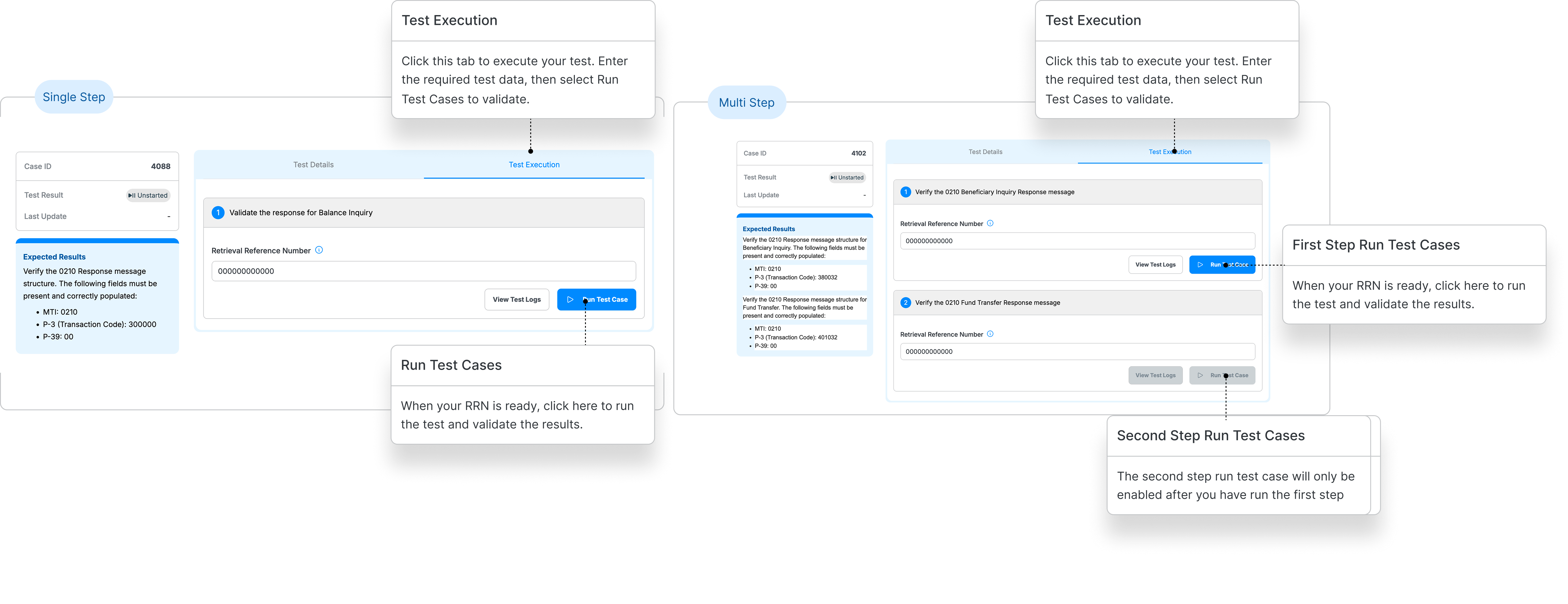
Test Execution
This guide explains how to execute a test case. Test execution may vary depending on test cases, some only have one step, some might have multiple steps.
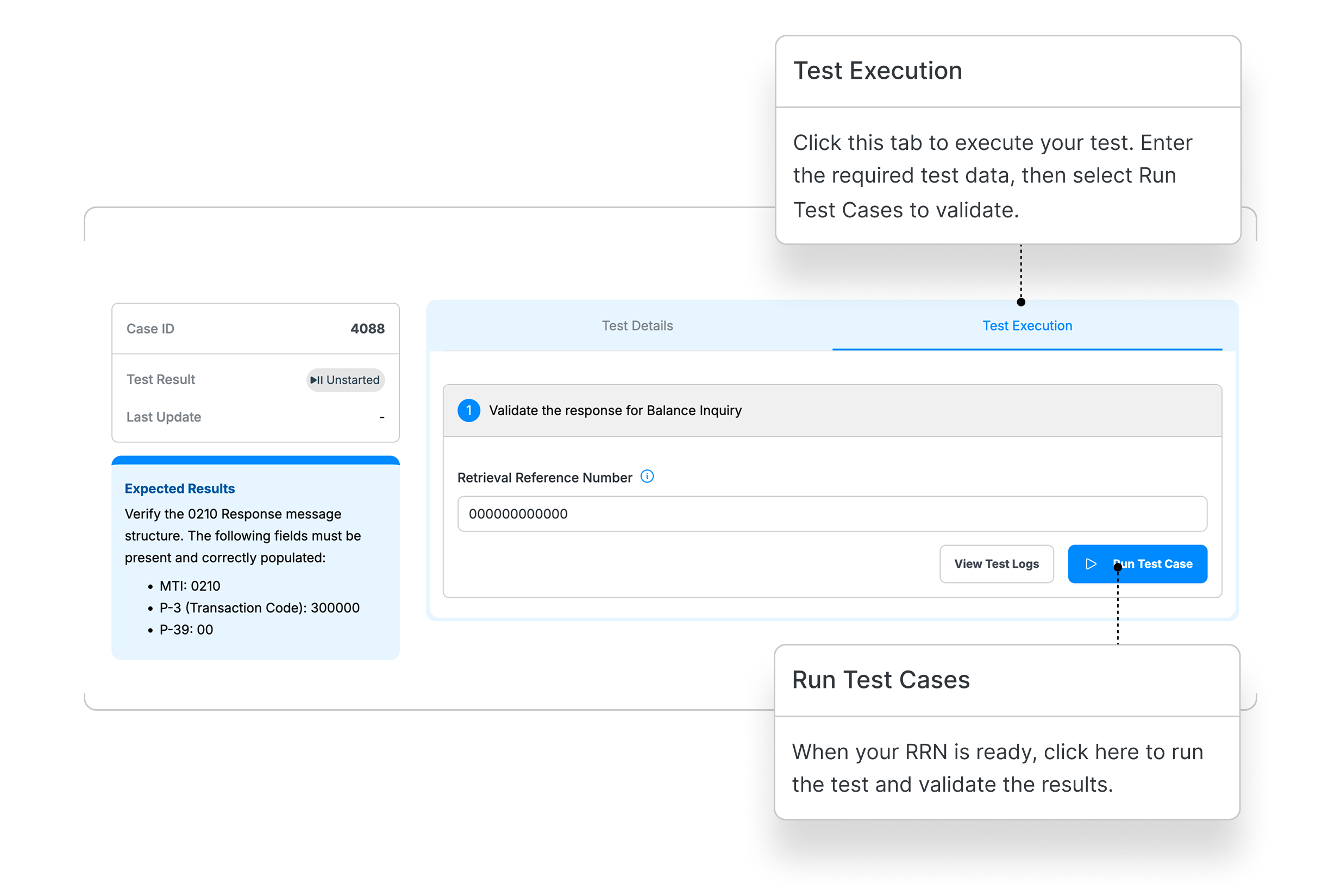
Participants are required to perform transactions against PayNet Non-Production Bank acting as the partner bank. The RRN generated from each successfully executed transaction must be captured and used to complete the corresponding validation test cases.
As Issuers or Beneficiary, transactions shall be performed using the emulated PayNet terminals. Upon successful completion, the terminal will print a receipt containing the RRN, which must be captured and used on devportal test executions.
As ATM Acquirers, the RRN must be obtained from the participant's system logs, ATM terminals, or simulators used to perform the transactions, and use it execute the required test cases.
Test Result
While your test is running, the simulator will process the request and display the results in the test logs. Check the logs to review the test outcome, response details, and request history this will help you troubleshoot and debug effectively.
You can download or copy the test logs for your records. Please note that log history is automatically deleted after 24 hours.
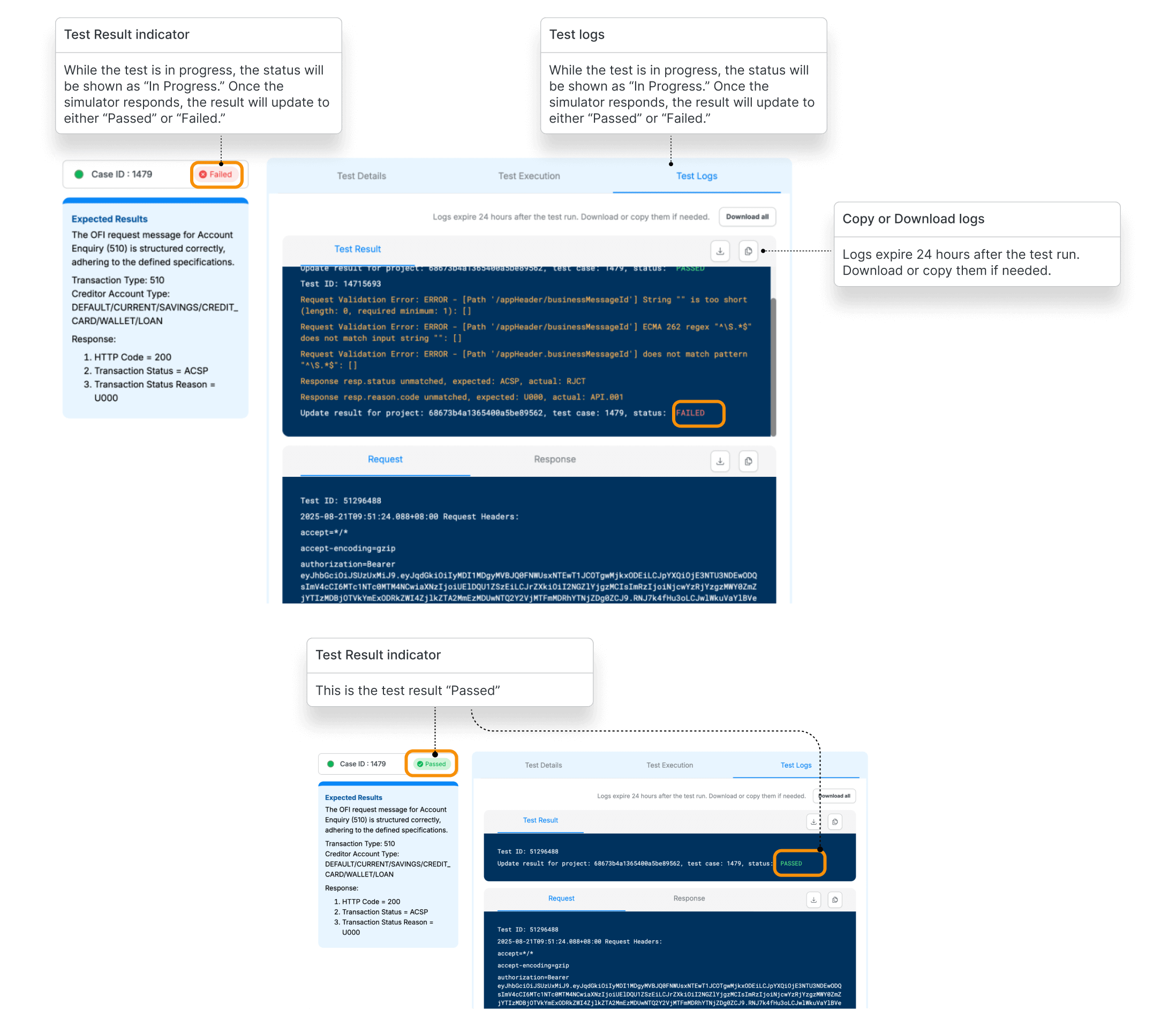
For a specific execution based on test suites, you may refer the section below.
Cash Withdrawal & Balance Inquiry - Acquirer
Cash Withdrawal & Balance Inquiry - Issuer
Interbank Fund Transfer (IBFT)
Request Support
In this step, you’ll learn how to request support whenever you are hit into an issue in Developer Portal.
Learn more