Manage and Renew Certificate
Continue with the Apply Centralised Certificate in Project. This is the guide on how to manage and renew a Centralised Certificate in Certificate management platform.
Overview
Discover the lifecycle of your company’s shared certificates — from setup to renewal.
You are now at Step 3: Manage and Renew Certificate.

Manage and Renew Certificate
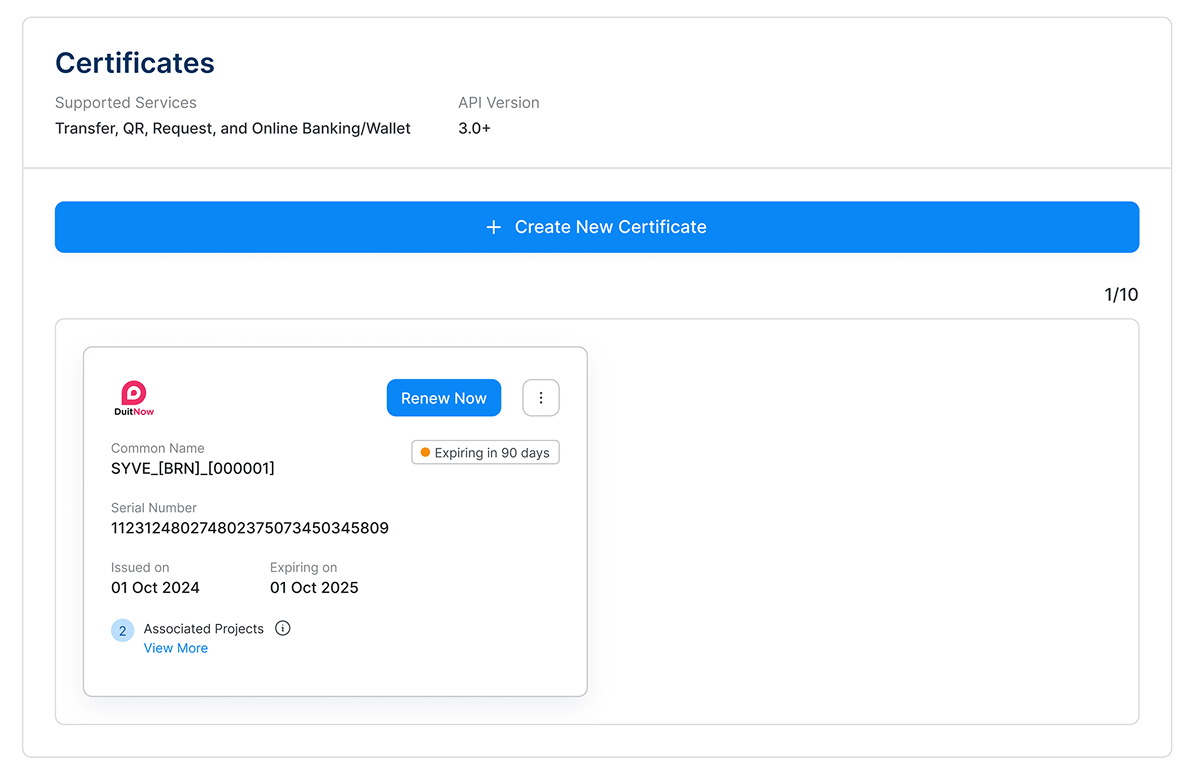
Identify certificates with expiring or expired indicator:
Expiring certificates are those expiring in less than 90 days
Expired certificates have passed their expiration date
Click on "Renew Now".
Renew System Verification (UAT) Certificate
Access to PayNet One Stop Portal (OSP)
Login & Access to Certificate Management
- 1. Refer the guide here
Certificate Renewal: Two Types of Signed Certificates
DuitNow V3 supports 2 types of signed certificates
- 1. System Verification (UAT) environment uses Paynet-signed certificates, Learn More
PayNet-Signed
PayNet-Signed certificate in 3 steps
Step 1: Generate CSR and Private key
Step 2: Verify Certificate
Step 3: Key Rotation (Publish)
Learn MoreRenew Production (Live) Certificate
Access to PayNet One Stop Portal (OSP)
Login & Access to Certificate Management
- 1. Refer the guide here
Certificate Renewal: Two Types of Signed Certificates
DuitNow V3 supports 2 types of signed certificates
- 1. Production (Live) environment uses certificates issued and signed by an Authorised CA, Learn More
Authorised CA-signed
Authorised CA-signed certificate in 3 steps
Step 1: Get a certificate issued and signed by an Authorised CA
Step 2: Upload the new certificate
Step 3: PayNet Setup the new certificate
Learn MoreCertificate Renewal Guide
Learn how to renew and manage your certificates easily through PayNet’s One Stop Portal.
Learn More